1~8 번까지 작업을 한 결과를 본다.
1. front-end 를 start 시킨다.
npm run serve
2. back-end 를 start 시킨다.
실행 방법은 여러가지 있다.
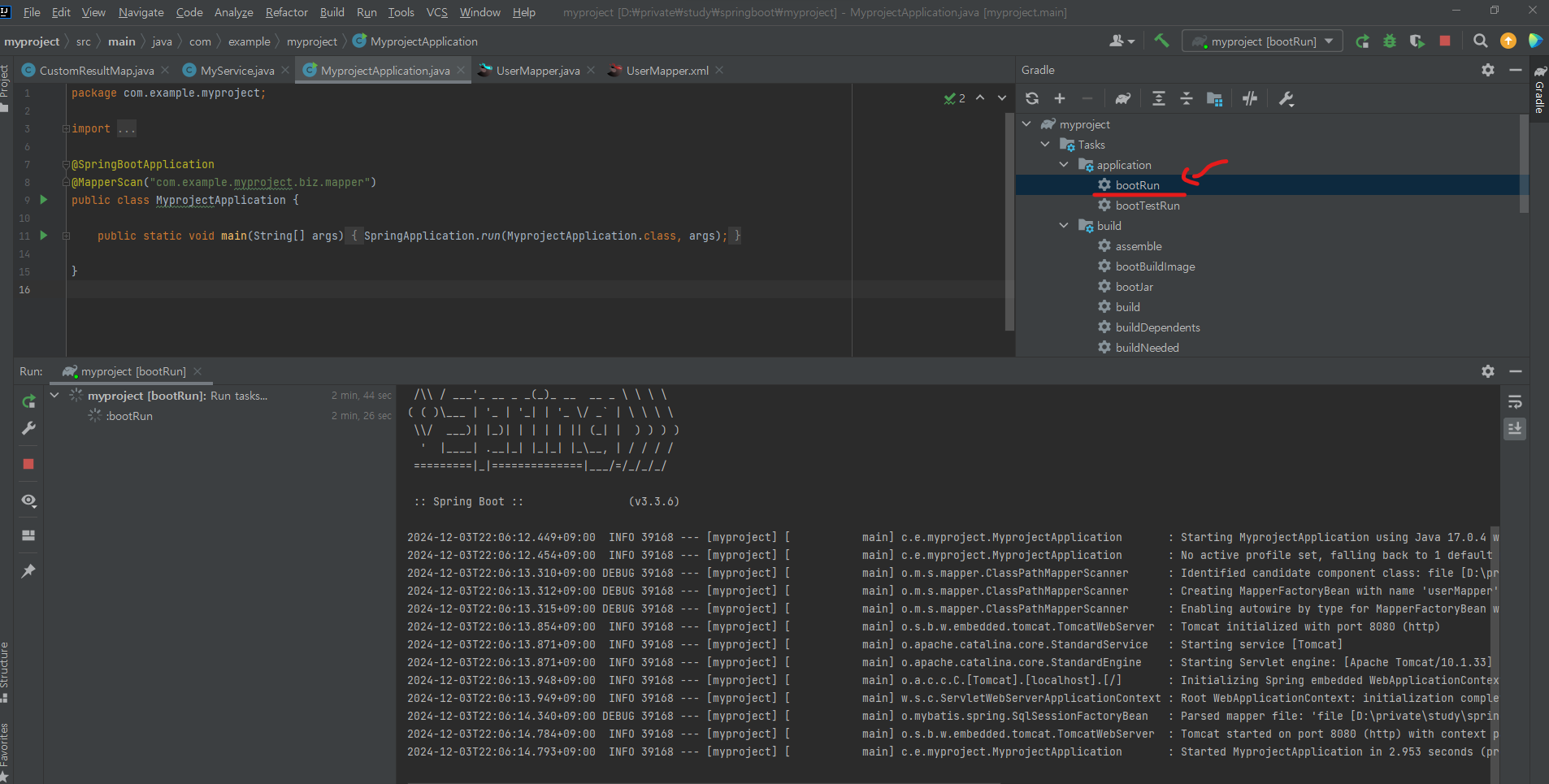
난 여러 방법중 하나인 gradle 의 bootRun을 이용 했다. (bootRun 더블 클릭)
3. virtual box 안에서 docker oracle-xe container 를 start 시킨다.
 sudo docker ps -a
 sudo docker start oracle-xe
4. ui 를 띄우고 버튼을 누른다.
역시 한번에 되는 꼴을 못 보지. ( Postman 은 잘 됐었다)
아래처럼 에러가 난다.
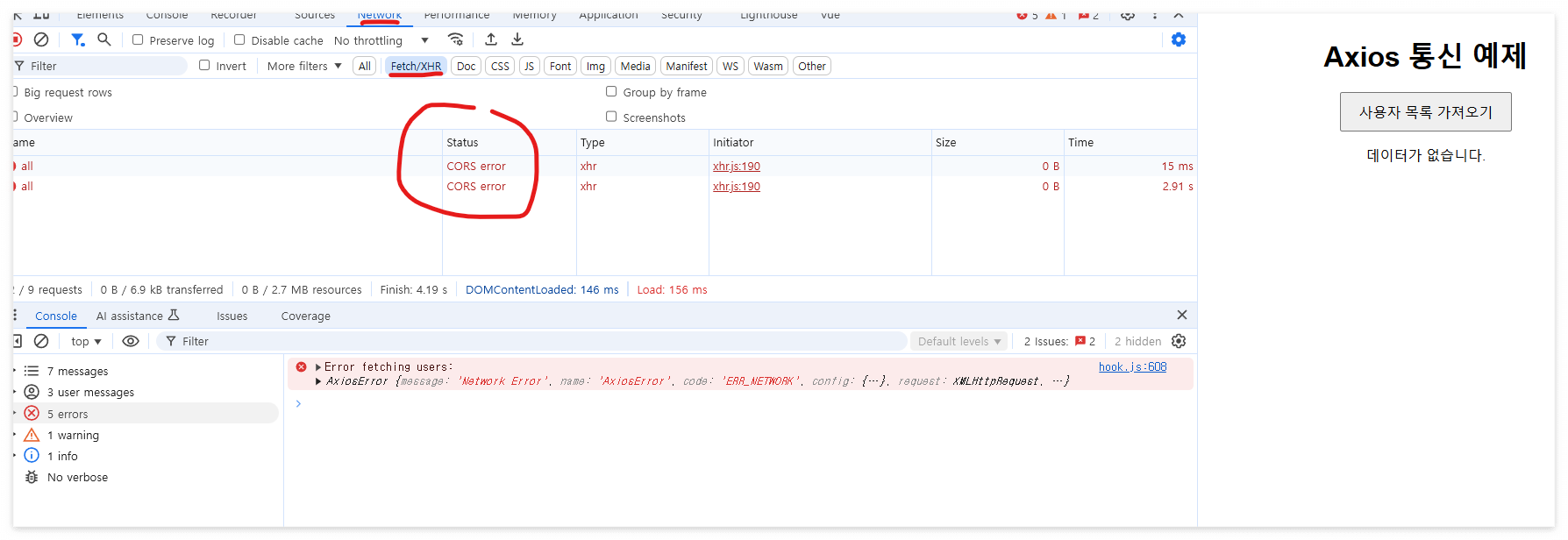
또 새로운걸 배워야 한다.

CORS(Cross-Origin Resource Sharing) 오류는 브라우저가 보안상의 이유로
다른 출처에서의 요청을 제한할 때 발생합니다.
즉, 내 경우 프론트엔드(예: http://localhost:9090)와 백엔드(예: http://localhost:8080)의 출처가 다를 경우,
백엔드에서 요청을 명시적으로 허용해줘야 합니다.
1. Spring Boot에서 CORS 설정
Spring Boot 백엔드에서 CORS 요청을 허용하도록 설정해야 합니다.
방법 1: @CrossOrigin 어노테이션 사용
컨트롤러 메서드 또는 클래스에 @CrossOrigin을 추가합니다.
@RestController
@CrossOrigin(origins = "http://localhost:3000") // 프론트엔드 주소
public class MyController {

    @GetMapping("/api/data")
    public ResponseEntity<String> getData() {
        return ResponseEntity.ok("Hello, World!");
    }
}
방법 2: 글로벌 설정
모든 요청에 대해 CORS를 허용하려면 WebMvcConfigurer를 구현합니다.
import org.springframework.context.annotation.Configuration;
import org.springframework.web.servlet.config.annotation.CorsRegistry;
import org.springframework.web.servlet.config.annotation.WebMvcConfigurer;

@Configuration
public class WebConfig implements WebMvcConfigurer {

    @Override
    public void addCorsMappings(CorsRegistry registry) {
        registry.addMapping("/**") // 모든 경로
                .allowedOrigins("http://localhost:3000") // 허용할 프론트엔드 주소
                .allowedMethods("GET", "POST", "PUT", "DELETE") // 허용할 HTTP 메서드
                .allowedHeaders("*") // 모든 헤더 허용
                .allowCredentials(true); // 인증 정보 허용 (옵션)
    }
}
2. Spring Security를 사용하는 경우
Spring Security가 활성화되어 있다면, CORS 설정을 추가로 구성해야 합니다.
import org.springframework.context.annotation.Bean;
import org.springframework.context.annotation.Configuration;
import org.springframework.security.config.annotation.web.builders.HttpSecurity;
import org.springframework.security.web.SecurityFilterChain;

@Configuration
public class SecurityConfig {

    @Bean
    public SecurityFilterChain securityFilterChain(HttpSecurity http) throws Exception {
        http.cors() // CORS 설정 활성화
            .and()
            .csrf().disable(); // 개발 중에는 CSRF 비활성화 가능
        return http.build();
    }
}
3. 로컬 개발 환경에서 프록시 사용
백엔드가 CORS 설정을 변경하기 어렵다면, 프론트엔드에서 프록시를 설정할 수 있습니다.
Vue.js의 경우
vue.config.js 파일에 프록시를 추가합니다.
module.exports = {
  devServer: {
    proxy: {
      '/api': {
        target: 'http://localhost:8080', // 백엔드 주소
        changeOrigin: true,
        pathRewrite: { '^/api': '' }, // 필요에 따라 경로 재작성
      },
    },
  },
};
4. CORS 설정 확인 및 테스트
- 백엔드 로그 확인:
- CORS 설정 변경 후 백엔드가 정상적으로 실행되는지 확인하세요.
- 브라우저에서 요청 테스트:
- 네트워크 탭(F12)을 열고 요청/응답 헤더를 확인하여 CORS 헤더가 포함되어 있는지 확인합니다.
- 예: Access-Control-Allow-Origin 헤더가 있어야 합니다.
- 네트워크 탭(F12)을 열고 요청/응답 헤더를 확인하여 CORS 헤더가 포함되어 있는지 확인합니다.
- Postman 또는 curl로 요청:
- 브라우저를 통하지 않고 직접 API 호출을 테스트합니다. 이때 CORS는 적용되지 않습니다.
5. 배포 환경에서의 CORS
- 프로덕션 환경에서는 특정 도메인만 허용하도록 설정하는 것이 보안에 유리합니다.
- 예를 들어, allowedOrigins("*") 대신 allowedOrigins("https://your-frontend-domain.com")를 사용하세요.
5. 가장 소스 수정이 덜 가는 "3. 로컬 개발 환경에서 프록시 사용" 을 쓰기로 했다.
안 된다. 멀 어떻게 고쳐야 할지 모르겠다.
"1 번 방법인 @CrossOrgin 어노테이션을 service 에 붙이는걸로 해 본다"
6. 된다... 간신히..
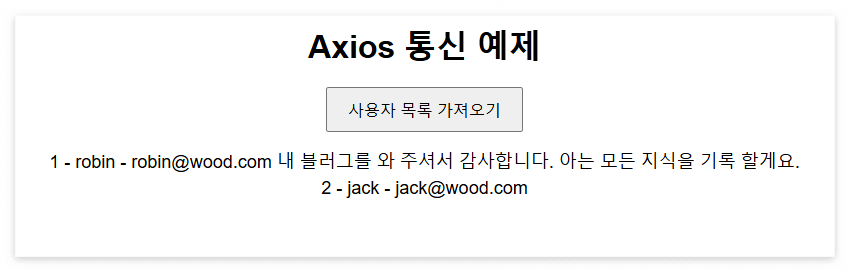
1~8 까지 하면서 만든 최종소스 첨부 합니다.
springboot 소스
vue 소스
'SI 업무 > 나만의 프로젝트 만들기' 카테고리의 다른 글
| 11-1. JWT인증-의존성 추가 (0) | 2024.12.14 |
|---|---|
| 10. 기존 화면에 로그인 화면 추가 (0) | 2024.12.07 |
| 8. vue 화면 생성 하기 (with axios) (0) | 2024.12.02 |
| 7. clob 의 경우는 어떻게 CustomResultMap에 담지? (2) | 2024.11.30 |
| 6. DTO 대신 CustomResultMap 을 만들자. (0) | 2024.11.29 |


